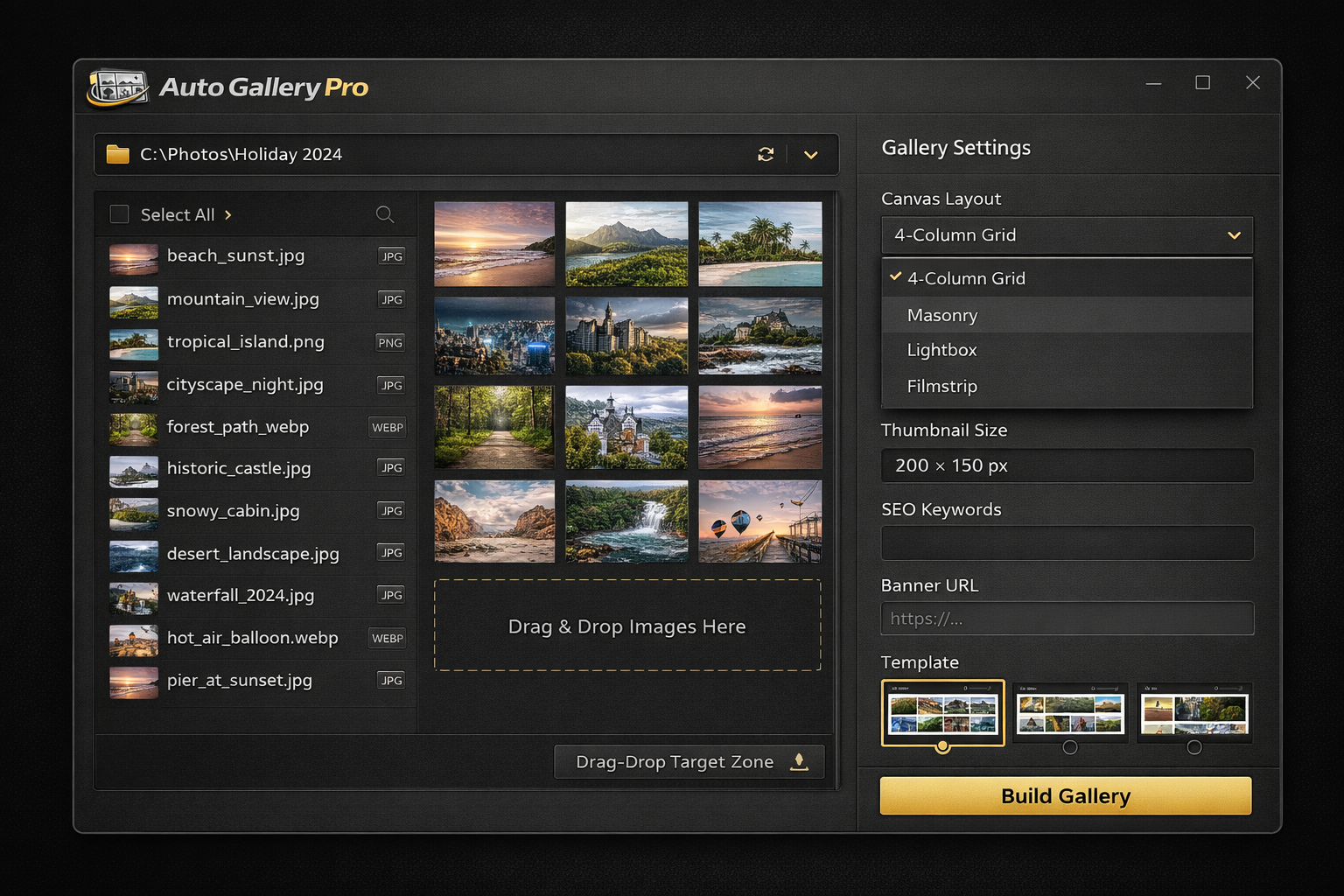
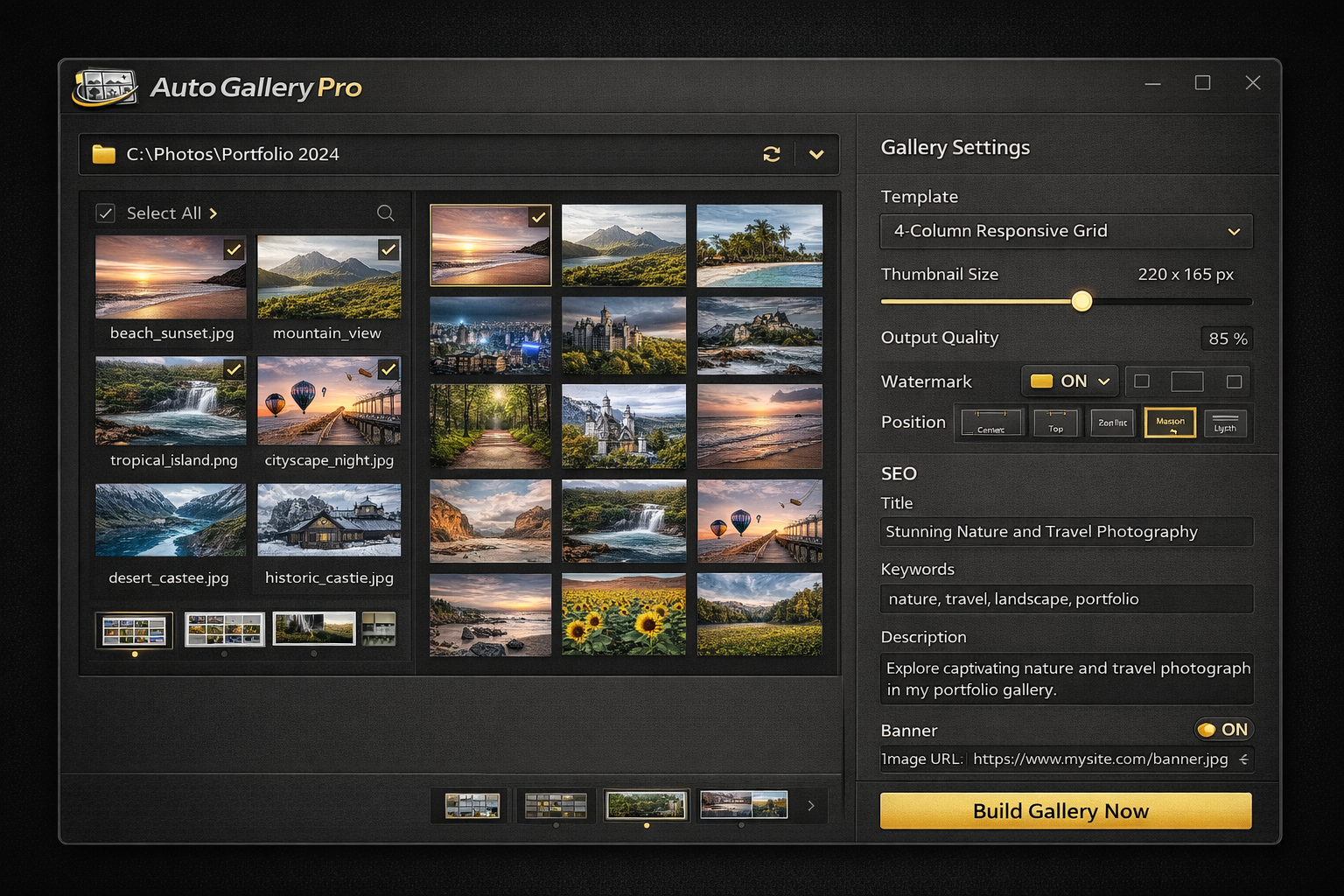
Auto Gallery Pro takes a folder full of images, creates perfectly sized thumbnails, drops each one into a polished HTML gallery page, and links every thumbnail through to its full-size original - in a single click. Choose from gallery templates, add SEO keywords and descriptions, include a clickable banner or text link, and publish a professional-looking gallery site without writing a single line of code.
Auto Gallery Pro is built for photographers, designers, webmasters and anyone who needs to turn a folder of images into a polished, SEO-ready HTML gallery - without monthly fees or hours of manual HTML editing.
Point Auto Gallery Pro at any folder of images and it automatically generates perfectly sized thumbnails for every file in one operation. Supports JPG, PNG, GIF, BMP, TIFF and WebP - no manual resizing, no third-party tools, no waiting for uploads to finish.
Every thumbnail Auto Gallery Pro creates is automatically hyperlinked to its full-resolution source image. Click a thumbnail in the published gallery and the full-size image opens instantly. All link paths are generated correctly whether you are publishing locally or to a live web server.
Choose from over 20 built-in HTML gallery layout templates including responsive grid, masonry, lightbox, filmstrip, magazine, slideshow and more. Every template is clean, mobile-responsive HTML that you can customise further or use straight out of the box.
Add a gallery page title, meta description, and a list of SEO keywords directly inside Auto Gallery Pro. The software writes all the correct meta tags into the generated HTML so your gallery pages are ready to be indexed by search engines without any additional editing.
Add a promotional banner image with a destination URL, or a text link and URL, to every gallery page Auto Gallery Pro generates. Position the banner at the top, bottom or sidebar of the gallery. Perfect for affiliate promotions, product pages, portfolio contact links or any call to action.
Set the exact pixel width and height you want for your thumbnails - square, landscape or portrait. Auto Gallery Pro resizes every image in the batch to your chosen dimensions while maintaining aspect ratio or cropping to fill, depending on the layout template you have selected.
Upload your logo or watermark image once and Auto Gallery Pro stamps it onto every thumbnail in the batch at your chosen position and opacity. Protect your photography, maintain consistent branding across client galleries, or add copyright notices to every image automatically.
Thumbnails generated from high-resolution originals can look soft. Auto Gallery Pro lets you dial in sharpening, adjust JPEG output quality and tweak brightness and contrast per batch so every thumbnail looks crisp and professional in the finished gallery page.
See exactly how your finished HTML gallery will look in a browser before you commit to the full batch export. Check the layout, banner position, thumbnail spacing and SEO text, then generate with confidence that the output will be exactly right first time.
No coding. No Photoshop. No manual linking. If you can point to a folder of images, Auto Gallery Pro does everything else - thumbnails, HTML, SEO tags, banners and all.
Browse to any folder of images on your PC - or drag the folder straight into Auto Gallery Pro. Load a single folder or nest multiple sub-folders for multi-section gallery sites with automatic category pages.
Pick from over 20 responsive HTML gallery layouts. Preview each template at a glance and select the one that fits your content - whether that is a clean portfolio grid, a dramatic masonry layout or a lightbox with filmstrip navigation.
Enter your gallery title, meta description and keywords. Add a clickable banner image or text link. Set your watermark position and thumbnail size. Every setting applies across the entire batch automatically.
Click Build Gallery and Auto Gallery Pro generates all the thumbnails, writes the complete HTML, and saves everything to your chosen output folder ready to upload to any web server or open straight in a browser.
Whether you are a photographer publishing client proofs, a webmaster building image-heavy sites, an affiliate marketer linking product images, or a designer delivering galleries to clients, Auto Gallery Pro handles every job from a single application - running locally on your PC, without uploading a single image to anyone's server.
"I shoot weddings and deliver client proofing galleries online. Before Auto Gallery Pro I was spending two or three hours per wedding manually creating thumbnails and writing the HTML link code. Now I drop the folder in, pick the lightbox template, hit Build and the entire gallery is ready to upload in under five minutes. The SEO fields mean the gallery pages even rank in Google image search for the couple's names."
"I run several niche image sites for affiliate marketing and the banner URL feature alone is worth the price. Every gallery page Auto Gallery Pro builds has my affiliate banner embedded with the correct destination link - that is thousands of pages all correctly monetised with zero extra work. The batch processing handles folders of 500 or 600 images without any issues."
"As a freelance webmaster I build image gallery pages for a dozen different clients. Auto Gallery Pro lets me deliver professional, SEO-optimised gallery sites in a fraction of the time it used to take. The HTML template system means each client gets a different look without me writing any custom code, and the watermark feature protects their images automatically on every single thumbnail."
Pay once and own Auto Gallery Pro forever. Every feature included, all gallery templates, free software updates at no extra cost - ever.
One-time payment - instant download after purchase
Enter your details below and click the button to pay securely via PayPal. Your download link appears instantly after payment.
Auto Gallery Pro supports JPG, JPEG, PNG, GIF, BMP, TIFF and WebP image files as input. Thumbnails can be exported as JPG or PNG. You can process any mix of these formats within the same batch and the same gallery output folder.
Auto Gallery Pro automatically wraps every thumbnail it generates in an HTML anchor tag that links to the corresponding full-size original image. All relative paths are calculated correctly for the folder structure you have chosen so the links work whether you view the gallery locally on your PC or upload it to a web server.
Auto Gallery Pro includes over 20 responsive HTML gallery templates: 3-column grid, 4-column grid, 5-column grid, masonry, lightbox, filmstrip, slideshow, magazine style, fullscreen hero, thumbnail strip, portfolio grid and more. Every template is clean, mobile-responsive HTML. You can also choose the Custom HTML option and supply your own template file.
In the gallery settings panel you can enter a page title, meta description and a list of comma-separated SEO keywords. Auto Gallery Pro writes these values into the correct HTML meta tags in the <head> of every gallery page it generates. This means your gallery pages are ready to be indexed and ranked by Google and other search engines without any additional editing.
You can supply a banner image file path (or URL) and a destination URL, and Auto Gallery Pro will embed a clickable banner at the top, bottom or side of every gallery page it generates. Alternatively you can add a plain text link with anchor text and a destination URL. Both options are ideal for affiliate promotions, portfolio contact links, product pages or any other call to action you want on every gallery page.
Yes. Auto Gallery Pro can process a parent folder containing multiple sub-folders and generate a separate gallery page for each sub-folder, plus an index page that links to all of them. This is perfect for photographers delivering category-based client sites, webmasters building large image archives, or anyone who needs multiple gallery sections under one site.
Upload your logo or watermark PNG once in the settings panel, choose corner position (top-left, top-right, bottom-left, bottom-right or centre) and set the opacity. Auto Gallery Pro stamps it onto every thumbnail in the batch automatically. The watermark is baked into the thumbnail files so it is visible regardless of which browser or device views the gallery.
Auto Gallery Pro runs entirely on your local PC with no upload step and no server-side limits. It has been tested successfully on batches of several thousand images. The only practical limit is your available disk space for the generated thumbnails and HTML files. For very large archives we recommend running the batch overnight.
No. Auto Gallery Pro runs 100% locally on your Windows PC. Your images, thumbnails and all generated HTML files stay on your computer at all times. This makes it much faster than any web-based gallery builder and means there are no file size limits, no upload timeouts, and complete privacy for unreleased or client-confidential photography.
One-time payment of $29.95. You own the software outright with no monthly fees, annual renewals or per-gallery charges of any kind. Free software updates are included as part of your purchase.
The moment your PayPal payment is confirmed you are redirected back to this page where your download link appears immediately. You can be installing Auto Gallery Pro and building your first HTML gallery within minutes of completing your purchase.
Join thousands of photographers, webmasters and marketers already using Auto Gallery Pro to create professional, SEO-ready HTML galleries from any folder of images - without writing a single line of code or paying a monthly subscription.
Get Auto Gallery Pro - Only $29.95Secure PayPal | Instant download | No subscription | Free updates